Posts

Showing posts with the label lcd screens

Your Computers Worst Enemy

Image
Heat is one of the main reasons that cause laptop and desktop computers to spontaneously shut down. The first sign is when your computers start to run slower than normal. This problem is usually more noticeable with laptop and netbooks because you will be able to feel from the heat by touching the bottom of the machine. Most computers shut down when the temperature of the CPU is around 70C. Eventually things get worse, to the point where the computer won’t turn on due to component or power supply failure.   This happens when the cooling fans can’t effectively remove heat from the internal compartment.   Many computers overheat because of their location. Your computer tower should be kept in a cool place with plenty of ventilation for the back of the computer so that the fans can continuously suck in cool air and push out the warm air. Yes, your computer may have a fan but it isn't very powerful. You must keep the exhaust vents free of dust and debris to...
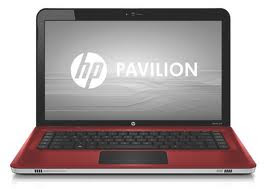
Buying Considerations for College Laptop

Image
Each year, thousands of freshmen look for a laptop or notebook before college begins. A laptop has become an item on any must-have-college-supplies-list right along with a backpack and a graphing calculator. A laptop or notebook are good tools to do homework, make weekly plans, communicate with teachers, friends and of course family. A lot of lectures are delivered through PowerPoint slides these days, and it is helpful (sometimes required) for students to download and review the slides prior to the class. Many colleges have a mandatory laptop policy. So no matter what school you’re heading to, the most frequent question is “what is the best laptop for the college years. Wi-Fi is ubiquitous on modern campuses and indeed one of the reasons why laptops have become so popular today. Most laptops come with built-in Wi-Fi cards in order to access the internet. Check with your schools IT department as to what Wi-Fi standard is commonly being used on your campus. If you plan to conduct...

How to Properly Take Care of Laptop Computers

Image
Many of the following steps will prolong the life of your laptop. As tempting as it might be, always keep liquids away from your laptop computer. Accidents can happen all too easily, which result in spilled liquid damage to the internal components or cause electrical injury to the laptop. LCD Screen When you shut your laptop, make sure there are no small objects, such as a pencil or small ear-phones, on the keyboard, that can damage the LCD screen when closing your laptop. Close the lid gently while holding from the middle edge of the LCD screen. Closing the lid using only one side of the LCD screen creates more stress on an individual hinge, which can break over time. Power Cord and AC Jack The portability feature of laptops offers several distinct advantages. Care should be taken when the AC power cord is draped across the floor where someone can accidently trip and damage the internal AC jack. This can happen quite frequently, especially if one has pets at home. Take care to plug...