Posts

Showing posts with the label ac

Laptop LCD Screen and DC Jack Repair

Image
Computer Running Slow?   Speed up Your Computer   Why Do Errors Happen? There are actually a number of reasons why these annoying errors happen, but the most common are caused by new programs getting installed on top of older programs before the older versions are completely removed. When you delete applications and files from your computer, unfortunately this junk can make your computer slow and sluggish. Worse yet, hidden traces (cookies) from your Internet browsing history can leave all kinds of junk gets left behind. Some computer software can automatically keep your computer optimized and help you protect and secure your data. It is important to remove traces of Internet browsing history and repairs broken registry entries that plague your computer. Is your computer acting weird lately? Perhaps it time to identify and remove broken and missing registry entries that can cause irritating performance problems. When this happens ...

Laptop DC Power Jack Issues

Image
Laptop LCD Screen and DC Jack Repair One wouldn’t think so, but a broken laptop DC Jack is actually quite common with laptop and notebook computers. If you experience problems with your laptop such as, it only runs when you hold the power cord in a certain position, only runs on battery, will not charge or suddenly shuts off.  Chances are the laptop DC power jack is broken. There are many ways for power jacks to break, perhaps someone tripped over the power cord causing the cord, wrong AC adapter was used, or the AC adapter was not inserted properly. and causing it then break. Perhaps you move your laptop frequently while it is plugged in which can tug on the DC power jack and eventually break. Perhaps you dropped your laptop or just have one of the laptop brands that are prone to the DC jack breaking. Don’t worry, we specialize in fixing them. SO, IF YOU ARE EXPERIENCING ANY OF THE FOLLOWING? Your laptop will only operate on battery power. Your...

How to Prolong Your Rechargeable Battery Life

Image
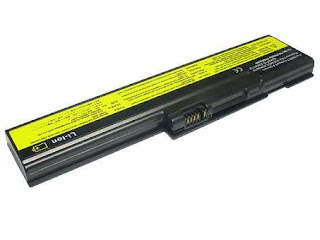
Prolong Your Laptop Battery Life 1. Avoid deep discharge and instead, try to charge your laptop battery more often between uses. The smaller the depth of discharge, the longer the battery will last. 2. Avoid storing the battery in full discharged state. As the battery will self-discharge overtime, its voltage will gradually lower, and when it is depleted below the low-voltage threshold (2.4 to 2.9 V/cell, depending on chemistry) it cannot be charged anymore because the protection circuit (a type of electronic fuse) disables it. Rechargeable Laptop Battery 3. Lithium-ion batterie s should be kept cool; they may be stored in a refrigerator if deemed necessary. The rate of degradation of Lithium-ion batteries is strongly temperature-dependent; they degrade much faster if stored or used at higher temperatures. 4. Having a battery fully charged and the laptop plugged in is not harmful, because as soon as the charge level reaches 100% the battery stops receiving...

Laptop LCD Screen Power Problem

Image
Laptop Screen and DC Jack {Power Problems} Sometimes your laptop or notebook screen is damaged, starts to lose pixels, has vertical lines, or discoloration. It is time to get it repaired so that you can resume your important computing tasks as quickly as possible. This is why it is imperative to find the best Aurora Laptop Screen Replacement and DC Jack Repair shop to suit your needs and have you back to work. There are several ways to determine the best companies and a few things to consider while you determine a quality laptop screen replacement company. How soon do you need your laptop screen replaced? You want to find a laptop screen replacement company that is convenient to you. Most companies that specialize in laptop screen replacement will afford you the option of mobile service, where the company will come to your location to repair the problem. This option is good if you are limited on transportation or time, but there may be a 24+-hour tur...

History of Laptop Computers

Image
Portable Computer In the second half of 2008, laptop s outsold desktops for the first time. The term "laptop " can refer to a number of classes of small portable computers . A Netbook is smaller, lighter, more portable laptop. It is also usually cheaper than a full-size laptop, but has fewer features and less computing power. Since Netbooks, are quite small in size compared to laptops, CD players cannot be used in these computers. Full-size Laptop: In the early 2000s, desktops were more powerful, easier to upgrade , and much cheaper than laptops, but in later years laptops have become much cheaper and more powerful. Most peripherals are available in laptop-compatible USB versions which minimize the need for internal add-on cards. Desktop Replacement Computer A desktop-replacement computer is a laptop that provides most of the capabilities of a desktop computer, with a similar level of performance. Desktop replacements are usually larger and heavier than standar...

Buying Considerations for College Laptop

Image
Each year, thousands of freshmen look for a laptop or notebook before college begins. A laptop has become an item on any must-have-college-supplies-list right along with a backpack and a graphing calculator. A laptop or notebook are good tools to do homework, make weekly plans, communicate with teachers, friends and of course family. A lot of lectures are delivered through PowerPoint slides these days, and it is helpful (sometimes required) for students to download and review the slides prior to the class. Many colleges have a mandatory laptop policy. So no matter what school you’re heading to, the most frequent question is “what is the best laptop for the college years. Wi-Fi is ubiquitous on modern campuses and indeed one of the reasons why laptops have become so popular today. Most laptops come with built-in Wi-Fi cards in order to access the internet. Check with your schools IT department as to what Wi-Fi standard is commonly being used on your campus. If you plan to conduct...

Where can I take my Laptop for DC Jack Repair in Aurora, IL?

Image
Follow this blog --> Is your laptop DC Jack loose? Does your laptop power shut off while you are the middle of a project? Does your laptop shut off when the AC power cord is moved? Does your laptop battery fail to hold a charge? Does the AC adapter that connects to the DC Jack get unusually warm when the laptop is on? If the answer to one or more of the above questions is yes, it could mean the laptop DC Jack connection to the system board or the center pin of the DC jack is starting to fail. Don’t worry, this is a common problem and that can be repaired for less than the cost of buying a new laptop or notebook. Laptop LCD Screen and DC Jack Repair Aurora , IL is a growing service offering computer repair services. Sources supply top quality factory direct laptop pc parts including DC jacks , popular glossy and matte finish LCD displays. Replacement parts are designed specifically for your laptop model. Discount coupons and other offers are ava...

How to Properly Take Care of Laptop Computers

Image
Many of the following steps will prolong the life of your laptop. As tempting as it might be, always keep liquids away from your laptop computer. Accidents can happen all too easily, which result in spilled liquid damage to the internal components or cause electrical injury to the laptop. LCD Screen When you shut your laptop, make sure there are no small objects, such as a pencil or small ear-phones, on the keyboard, that can damage the LCD screen when closing your laptop. Close the lid gently while holding from the middle edge of the LCD screen. Closing the lid using only one side of the LCD screen creates more stress on an individual hinge, which can break over time. Power Cord and AC Jack The portability feature of laptops offers several distinct advantages. Care should be taken when the AC power cord is draped across the floor where someone can accidently trip and damage the internal AC jack. This can happen quite frequently, especially if one has pets at home. Take care to plug...