Posts

Showing posts with the label cpu

Laptop LCD Screen and DC Jack Repair

Image
Computer Running Slow?   Speed up Your Computer   Why Do Errors Happen? There are actually a number of reasons why these annoying errors happen, but the most common are caused by new programs getting installed on top of older programs before the older versions are completely removed. When you delete applications and files from your computer, unfortunately this junk can make your computer slow and sluggish. Worse yet, hidden traces (cookies) from your Internet browsing history can leave all kinds of junk gets left behind. Some computer software can automatically keep your computer optimized and help you protect and secure your data. It is important to remove traces of Internet browsing history and repairs broken registry entries that plague your computer. Is your computer acting weird lately? Perhaps it time to identify and remove broken and missing registry entries that can cause irritating performance problems. When this happens ...

Laptop DC Power Jack Issues

Image
Laptop LCD Screen and DC Jack Repair One wouldn’t think so, but a broken laptop DC Jack is actually quite common with laptop and notebook computers. If you experience problems with your laptop such as, it only runs when you hold the power cord in a certain position, only runs on battery, will not charge or suddenly shuts off.  Chances are the laptop DC power jack is broken. There are many ways for power jacks to break, perhaps someone tripped over the power cord causing the cord, wrong AC adapter was used, or the AC adapter was not inserted properly. and causing it then break. Perhaps you move your laptop frequently while it is plugged in which can tug on the DC power jack and eventually break. Perhaps you dropped your laptop or just have one of the laptop brands that are prone to the DC jack breaking. Don’t worry, we specialize in fixing them. SO, IF YOU ARE EXPERIENCING ANY OF THE FOLLOWING? Your laptop will only operate on battery power. Your...

Your Computers Worst Enemy

Image
Heat is one of the main reasons that cause laptop and desktop computers to spontaneously shut down. The first sign is when your computers start to run slower than normal. This problem is usually more noticeable with laptop and netbooks because you will be able to feel from the heat by touching the bottom of the machine. Most computers shut down when the temperature of the CPU is around 70C. Eventually things get worse, to the point where the computer won’t turn on due to component or power supply failure.   This happens when the cooling fans can’t effectively remove heat from the internal compartment.   Many computers overheat because of their location. Your computer tower should be kept in a cool place with plenty of ventilation for the back of the computer so that the fans can continuously suck in cool air and push out the warm air. Yes, your computer may have a fan but it isn't very powerful. You must keep the exhaust vents free of dust and debris to...

Tips to Keep Your Laptop Working Properly: ASUS G53 Powerful Gaming Notebooks

Tips to Keep Your Laptop Working Properly: ASUS G53 Powerful Gaming Notebooks : The ASUS G53SW is a powerful notebook and arguably one of the best 15-inch gaming machines currently on the market for the value. Exce...

How to Prolong Your Rechargeable Battery Life

Image
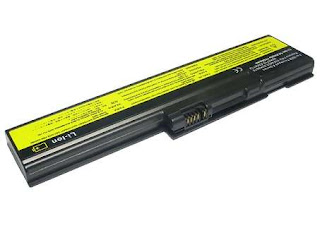
Prolong Your Laptop Battery Life 1. Avoid deep discharge and instead, try to charge your laptop battery more often between uses. The smaller the depth of discharge, the longer the battery will last. 2. Avoid storing the battery in full discharged state. As the battery will self-discharge overtime, its voltage will gradually lower, and when it is depleted below the low-voltage threshold (2.4 to 2.9 V/cell, depending on chemistry) it cannot be charged anymore because the protection circuit (a type of electronic fuse) disables it. Rechargeable Laptop Battery 3. Lithium-ion batterie s should be kept cool; they may be stored in a refrigerator if deemed necessary. The rate of degradation of Lithium-ion batteries is strongly temperature-dependent; they degrade much faster if stored or used at higher temperatures. 4. Having a battery fully charged and the laptop plugged in is not harmful, because as soon as the charge level reaches 100% the battery stops receiving...

Dell Laptop DC Jack and LCD Screen Problems

Image
We've seen a lot of Dell and Toshiba laptops coming in with power problems lately, however this happens on nearly all laptop and notebook computers . The Dell PP29L has a power plug that is a little different from most laptops out there. A customer recently called and told us that one repair shop wanted to charge them $400.00 to fix their DC jack . Several other repair shops in the area even refused to work on their machine. Finally the customer went online and found us by typing in " Laptop LCD Screen and DC Jack Repair 60504". To make a long story short, the repair was fast and inexpensive. There is no reason to buy a new laptop computer when we can can fix or upgrade your current system at a fraction of the cost of purchasing a new laptop. Laptop LCD Screen and DC Jack Repair , provides a service to help you save money, while offering cost effective ways to upgrade your current system. All work is performed in house by a certified technician. ...

How to Prolong Rechargeable Battery Life

Image
Dell Laptop Computer Prolong Your Laptop Battery Life by: 1. Avoid deep discharge and instead, try to charge your laptop battery more often between uses. The smaller the depth of discharge, the longer the battery will last. 2. Avoid storing the battery in full discharged state. As the battery will self-discharge overtime, its voltage will gradually lower, and when it is depleted below the low-voltage threshold (2.4 to 2.9 V/cell, depending on chemistry) it cannot be charged anymore because the protection circuit (a type of electronic fuse) disables it. Rechargeable Laptop Battery 3. Lithium-ion batteries should be kept cool; they may be stored in a refrigerator if deemed necessary. The rate of degradation of Lithium-ion batteries is strongly temperature-dependent; they degrade much faster if stored or used at higher temperatures. 4. Having a battery fully charged and the laptop plugged in is not harmful, because as soon as the charge level reaches 100% the batte...

Maintain Peak Performance and Reduce Downtime

Image
Results of Performing Routine Maintenance • Your Laptop Computer will Run Faster • Reduce System Clutter • Avoid or Reduces Error Messages • Increase performance How to Keep Your Laptop Computer Up-to-Date Most users upgrade their systems when they start running slow as their hard drives become cluttered with files and downloads. But experts recommend that if you’re not interested in trading in your computer for a new one yet, it’s best to keep it running fast and smoothly by updating it. Speed Up Your Laptop Computer Over time, your laptop computer will eventually slow down if you fill the hard drive with excessive files, downloads or if your system has been infected with malware, which is very common. One of the best ways to speed up your computer is to run programs like “PC Pitstop” or “Disk Defragmenter”, which fix system errors and help make your PC run like new. Combined, they help your hard drive run faster by rearranging data to remove fragments. If you dow...

Bit of History and Advantages of Laptop Computers

Laptops were originally considered to be a small niche market and were thought suitable mostly for specialized field applications, but today, laptops are becoming more popular for student, business and general uses. As the personal computer became feasible in the early 1970s, the idea of a portable personal computer followed. IBM 5100, the first commercially available portable computer, appeared in 1975 as an 8-bit CPU machines, became widely accepted and the number of portables increased rapidly. Early portable computers weighed as much as 23.5 pounds (10.7kg) and had no battery. The Epson had a LCD screen, a rechargeable battery and a calculator-size printer in a 1.6kg (3.5lb) chassis. Both Tandy/RadioShack and HP also produced portable computers of varying designs around the same time. The term "laptop" is used to refer to a number of classes of small portable computers: Notebook: – A laptop computer which measures at least 11 inches across, which is the minimum width to ...

Proper Way to Clean a Laptop Screen

Image
An LCD (liquid crystal display) consists of a soft film that is very prone to damage from scratches, smudging, and clouding caused by the use of harsh cloths and improper cleaning agents. Don’t make the mistake of cleaning your laptop screen or LCD TV as you would clean a glass monitor or TV. Don’t you miss that shiny new laptop look? Here's how to clean your own laptop screen using simple household ingredients. Most laptop manufacturers no longer recommend using products that contain alcohol, ammonia, or other strong solvents on LCD screens. Review the warnings in the section below before attempting to clean any LCD screen! Take great care in the selection of the ingredients for your solution, the containers you are going to mix your solution in, and your choice of cleaning cloths. If you are unsure about any of the pieces mentioned above, then your safest path is to purchase a package of single use wet/dry commercially available wipes that are specifically for cleaning LCD and Pl...