Posts

Showing posts with the label internet

How to Choose a Laptop Computer

Image
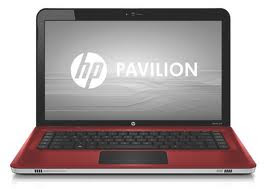
Choosing a Laptop Compute r When deciding upon which laptop is best for you, you need to determine the type of work you will most frequently use your computer to perform. If you plan to use your laptop to check email, browse the internet or listen to music, you don’t need anything too powerful. However, if you plan to travel with your computer , store many files or documents and access information, you want a device with a long battery life, adequate hard-disk space, a memory-card reader, and Wi-Fi and Bluetooth connections. Below are the criteria to use when evaluating laptop computers . Design The main purpose of a laptop computer is portability. Each computer offers different dimensions, so it is vital that you look at the device before you buy it to ensure it is not too large.  The size of the keyboard and keys should be considered. Laptops offer a vast selection of display features. You can find a screen size on one of these devices ranging from 11 inche...
Buying Considerations for College Laptop

Image
Each year, thousands of freshmen look for a laptop or notebook before college begins. A laptop has become an item on any must-have-college-supplies-list right along with a backpack and a graphing calculator. A laptop or notebook are good tools to do homework, make weekly plans, communicate with teachers, friends and of course family. A lot of lectures are delivered through PowerPoint slides these days, and it is helpful (sometimes required) for students to download and review the slides prior to the class. Many colleges have a mandatory laptop policy. So no matter what school you’re heading to, the most frequent question is “what is the best laptop for the college years. Wi-Fi is ubiquitous on modern campuses and indeed one of the reasons why laptops have become so popular today. Most laptops come with built-in Wi-Fi cards in order to access the internet. Check with your schools IT department as to what Wi-Fi standard is commonly being used on your campus. If you plan to conduct...

Simple Steps to Protect Your Computer from Viruses

Image
Many personal computers are now connected to the Internet and to local area networks, facilitating the spread of malicious code. Today's viruses may also take advantage of network services such as the World Wide Web, e-mail, and file sharing systems to spread, blurring the line between viruses and worms. An e-mail virus travels as an attachment to e-mail messages, and usually replicates itself by automatically mailing itself to dozens of people in the victim's e-mail address book. Symptoms of a Computer Virus *The computer restarts on its own *The computer runs slower than usual *Disks or disk drives are inaccessible *Applications on the computer do not work correctly and You see unusual error messages *The computer stops responding, or it locks up frequently *The computer crashes, and then it restarts every few minutes A Few Simple Steps to Protect Your Computer from Viruses *Make the firewall is activated. *If you are truly worried about traditional (as opposed to e-mail) vir...

Computer Virus Symptoms

Image
Many personal computers are now connected to the Internet and to local area networks, facilitating the spread of malicious code. Today's viruses may also take advantage of network services such as the World Wide Web, e-mail, and file sharing systems to spread, blurring the line between viruses and worms. An e-mail virus travels as an attachment to e-mail messages, and usually replicates itself by automatically mailing itself to dozens of people in the victim's e-mail address book. Following are the Symptoms of a computer virus *The computer restarts on its own *The computer runs slower than usual *Disks or disk drives are inaccessible *Applications on the computer do not work correctly and You see unusual error messages *The computer stops responding, or it locks up frequently *The computer crashes, and then it restarts every few minutes You can protect your computer against viruses with a few simple simple steps: Be Sure Firewall is Activated *If you are truly worried about tr...