Posts

Showing posts with the label laptop computer technician ac dc jack repair service

How to Choose a Laptop Computer

Image
Choosing a Laptop Compute r When deciding upon which laptop is best for you, you need to determine the type of work you will most frequently use your computer to perform. If you plan to use your laptop to check email, browse the internet or listen to music, you don’t need anything too powerful. However, if you plan to travel with your computer , store many files or documents and access information, you want a device with a long battery life, adequate hard-disk space, a memory-card reader, and Wi-Fi and Bluetooth connections. Below are the criteria to use when evaluating laptop computers . Design The main purpose of a laptop computer is portability. Each computer offers different dimensions, so it is vital that you look at the device before you buy it to ensure it is not too large.  The size of the keyboard and keys should be considered. Laptops offer a vast selection of display features. You can find a screen size on one of these devices ranging from 11 inche...

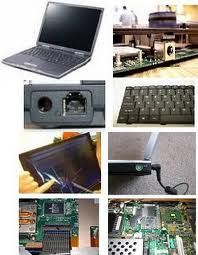
Laptop DC Jack Repair

Image
Laptop DC Jack Repair - Aurora 60504 Quality and Experienced Laptop DC Jack Replacement Our DC Jack Repair Service Includes: Replace Defective DC Jack Test AC Power Cord Clean and Inspect Cooling Fan Check all Signal Cables Test and Perform System Diagnostics Quality - Factory Direct Parts   Laptops and Notebooks Computers Serviced    Compaq DC/Power Jack Repair     Dell DC/Power Jack Repair     Gateway DC/Power Jack Repair     Toshiba DC/Power Jack Repair     Acer DC/Power Jack Repair     HP DC/Power Jack Repair     Alienware DC/Power Jack Repair     Asus DC/Power Jack Repair     Averatec DC/Power Jack Repair     EMachines DC/Power Jack Repair     Fujitsu DC/Power Jack Repair     Sony DC/Power Jack Repair Free money saving coupons on our website: Merchant Circle.com ...

Dell Laptop DC Jack and LCD Screen Problems

Image
We've seen a lot of Dell and Toshiba laptops coming in with power problems lately, however this happens on nearly all laptop and notebook computers . The Dell PP29L has a power plug that is a little different from most laptops out there. A customer recently called and told us that one repair shop wanted to charge them $400.00 to fix their DC jack . Several other repair shops in the area even refused to work on their machine. Finally the customer went online and found us by typing in " Laptop LCD Screen and DC Jack Repair 60504". To make a long story short, the repair was fast and inexpensive. There is no reason to buy a new laptop computer when we can can fix or upgrade your current system at a fraction of the cost of purchasing a new laptop. Laptop LCD Screen and DC Jack Repair , provides a service to help you save money, while offering cost effective ways to upgrade your current system. All work is performed in house by a certified technician. ...

Maintain Peak Performance and Reduce Downtime

Image
Results of Performing Routine Maintenance • Your Laptop Computer will Run Faster • Reduce System Clutter • Avoid or Reduces Error Messages • Increase performance How to Keep Your Laptop Computer Up-to-Date Most users upgrade their systems when they start running slow as their hard drives become cluttered with files and downloads. But experts recommend that if you’re not interested in trading in your computer for a new one yet, it’s best to keep it running fast and smoothly by updating it. Speed Up Your Laptop Computer Over time, your laptop computer will eventually slow down if you fill the hard drive with excessive files, downloads or if your system has been infected with malware, which is very common. One of the best ways to speed up your computer is to run programs like “PC Pitstop” or “Disk Defragmenter”, which fix system errors and help make your PC run like new. Combined, they help your hard drive run faster by rearranging data to remove fragments. If you dow...

Reputable Computer Repair Service

Image
Laptop Repair - LCD Screen Replacement, DC Jack and Computer Troubleshooting Hardware Repair A good computer technician is capable of working on various hardware configurations and work with five general categories of hardware; desktop computers, laptops, servers, computer clusters. Technicians also work with and occasionally repair a range of peripherals, including input devices (like keyboards, mice, and scanners), output devices (like displays, printers, and speakers), and data storage devices such as internal and external hard drives and disk arrays. Software Repair When possible, repair technicians protect the computer user's data and settings, so that after repair, the user will not have lost any data and the technician can fully use the device with little interruption while diagnosing a problem. Addressing the issue, the technician could take action as minor as adjusting one or several settings or preferences, but could also apply more involved techniques like insta...